Is there a way to get the Pre-Season letter to populate for each individual name when they have a spouse and children. When we try and send out batch Pre-Season letters, only one of the taxpayer’s names shows up in the email subject. Also, is it possible for it to not populate individual emails for each one, like an auto send option so that we don’t have to push send for each email address?
Hi @leah, I’d like to reproduce the behaviour to see if I can help. Can you tell me, are you using a built-in, default template for the email cover letter and attaching the full letter and checklist as a PDF? The subject line for the email cover letter is set here and in our default, we don’t include the taxpayer name although it can be added:

Yes please add it in. The checklist should include more details and easily to be confirmed by the customer, and then to estimate the price.
Hey @Elizabeth,
We’re actually trying to send them as a batch. We did duplicate the default email template and make edits to it to customize to our needs. The issue that we’re running into is when we type in Pre-Season Letters into the print options settings, we get all the pre-season letters (joint, family…). We would also like to be able to send a letter to each individual client even if they have spouses and a lot of our clients have separate emails. When trying to do this through the batch, it seem to just send one letter to the primary taxpayer. Also, the body of the email seems to show the taxpayers full SIN which we don’t want it to do… If you are able to provide any insight it is greatly appreciated!
Thanks in advance for any help you might be able to provide.
Thank you for the clarification, @leah. What I think is happening is that it is pulling a print set of some kind that contains all the preseason letters, but I’m not sure because we don’t have a default print set that does that.
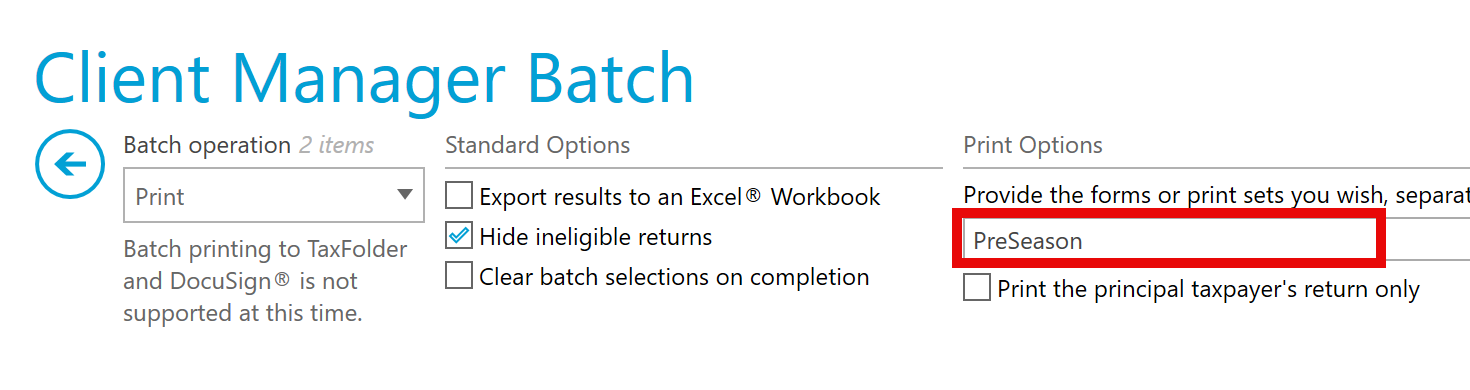
I would suggest trying “PreSeason” in this field in the batch window, this will print only the PreSeason letter for each person you select, not the JPreSeason or FPreSeason that are for couples or families.
Before you attempt the batch print, though, you’ll also want to go in and make sure that you set the single form print options for the PreSeason letter and save them as it will use these as the default. This is where you select your email cover letter template. Here’s my example:

For anyone else who’s watching this thread, I’ve edited my email cover letter template to include the client’s first name:

Once I have all this in place, I can select clients in the batch process. In this case, you want to select each person for whom you want to send a letter. So if a single file contains 4 family members, make sure to select each of their names:
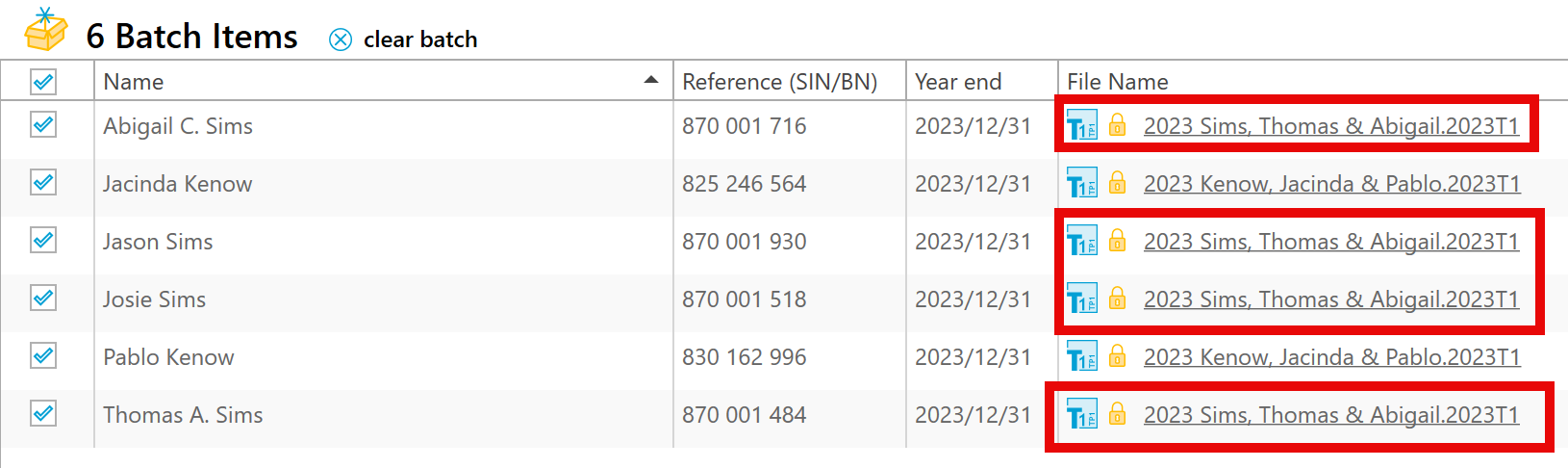
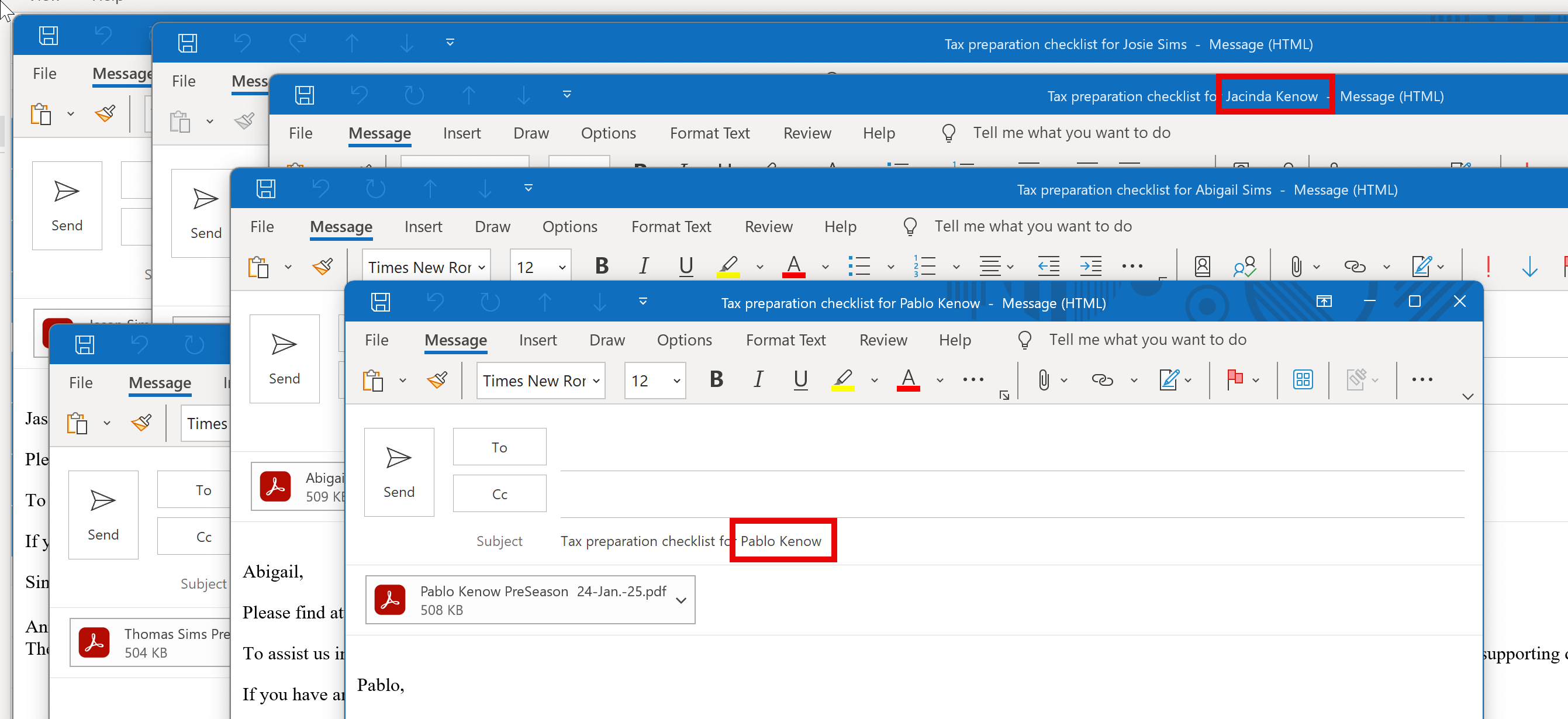
With all of this in place, I get six email windows (one for each client, regardless of them being from the same file), with attached PDF letters and customized subject lines:
My final word of warning for you is that you’ll want to do only a few at a take for two reasons:
- You’ll notice that it doesn’t batch send these emails. It just opens an email in your email client, like Outlook. You still need to hit send. So, you probably don’t want a hundred or even 20 windows opening up at the same time.
- One really good reason we don’t do a full batch send for you is a desktop email client isn’t really designed for large volume sending. People use online batch email services to manage that kind of thing because they help keep your email reputation intact. If your address gets flagged, it can mean email clients mark you as spam and stop delivering your emails.
Thanks for the feedback (and for joining our community), @kevin.li.ca. I’ve passed both items onto our team. I know fillable checkbox request recorded in our request tracker and we are aware it is a popular feature request.